
High Quality 7.5V 2277mAh/17.26Wh MICROSOFT M1097873-001 Battery For Microsoft Surface Book 1938
Do you want to buy a cheap MICROSOFT M1097873-001 Compatible battery? We offer you a cheap MICROSOFT M1097873-001 Compatible battery - an incredibly high quality Compatible battery! All MICROSOFT M1097873-001 are brand new,1 year Warranty, 100% Guarantee Quality and Fully Test!
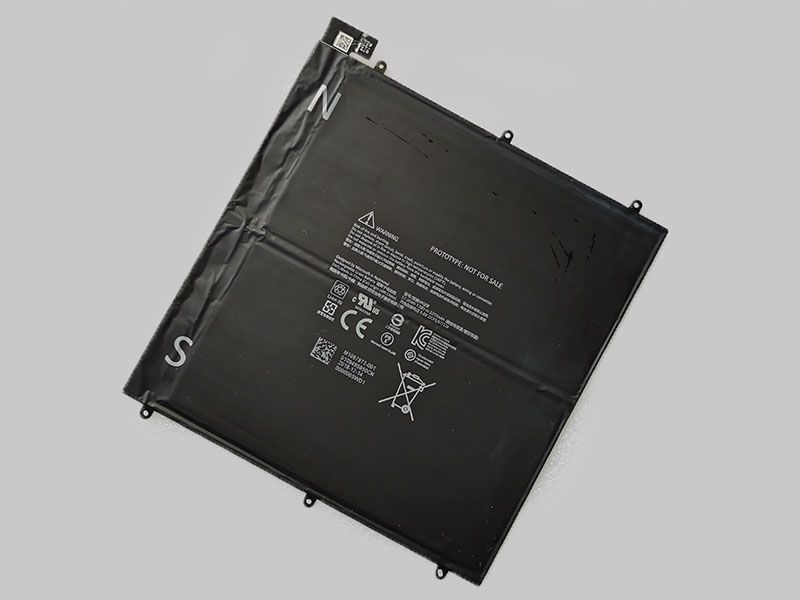
✔ Battery for M1097873-001 Ships to Singapore
Product Overview
This battery is suitable as a replacement battery for Microsoft Surface Book 1938 battery and MICROSOFT M1097873-001 model.
High capacity MICROSOFT M1097873-001 battery for longer standby time.
The battery is professionally tested to ensure the best lifespan.
1 year warranty, 30 days money back, 100% brand new!
Battery capacity (mAh/A/W) may be different; the more mAh/A/W it displays, the higher its autonomy.
Safety certified CE / FCC / RoHS.
Key Features
- High‑capacity design with 2277mAh/17.26Wh for extended device runtime.
- Stable 7.5V output ensures consistent performance during daily use.
- Built with high‑quality lithium‑ion cells for improved durability and long cycle life.
- Advanced protection system including overcharge, over‑discharge, overheat, and short‑circuit safeguards.
- Optimized for reliable performance in warm and humid environments.
- Lightweight and compact design for easy installation and device compatibility.
Technical Specifications
| Model | M1097873-001 |
| Battery Condition | Brand New Replacement Battery |
| Item Code | MIC21MA1099 |
| Category | Laptop Batteries |
| Brand | MICROSOFT |
| Capacity | 2277mAh/17.26Wh |
| Voltage | 7.5V |
| Type | Li-ion |
| Color | black |
| Applies to | Microsoft Surface Book 1938 |
| Certification | Passed CE, UL, ROHS, ISO 9001/9002 and GS certification |
| Service | Buy now, we promise a one-year warranty and 30-day returns |
Compatible Models
Replacement Part Numbers:
Compatible Models:
For Microsoft Surface Book 1938
* Please make sure that the replacement battery you are buying is suitable for your device brand and model.
Battery Care & Maintenance
- Store the battery in a cool, dry environment to maintain long‑term performance.
- Avoid exposing the battery to excessive heat or direct sunlight, especially in warm and humid climates.
- Use compatible MICROSOFT chargers or certified charging accessories to ensure safe and efficient charging.
- Avoid frequent full discharges; partial charge cycles help extend overall battery lifespan.
- If the battery will not be used for an extended period, keep it at around 40–60% charge before storage.
- Clean the battery contacts periodically with a dry cloth to maintain stable power delivery.
- Do not puncture, crush, or expose the battery to water or high humidity.
Frequently Asked Questions
Ready to buy in Singapore?
Visit the official product page for price, stock, and delivery options.
👉 View the M1097873-001 Battery Product Page